How To Register Kohler Faucet – Complete Guide
To register your Kohler faucet, first locate its model number on the packaging, manual, or faucet itself. Then, sign in or create an account at kohler.com, providing accurate personal and purchase details.
Complete and carefully review the online registration form to guarantee error-free submission. If issues arise, verify credentials and check FAQs or contact support.
Once registered, manage your warranty and access customer resources easily. Below, you’ll find detailed steps to streamline the entire process.
Find Your Kohler Faucet Model Number for Registration
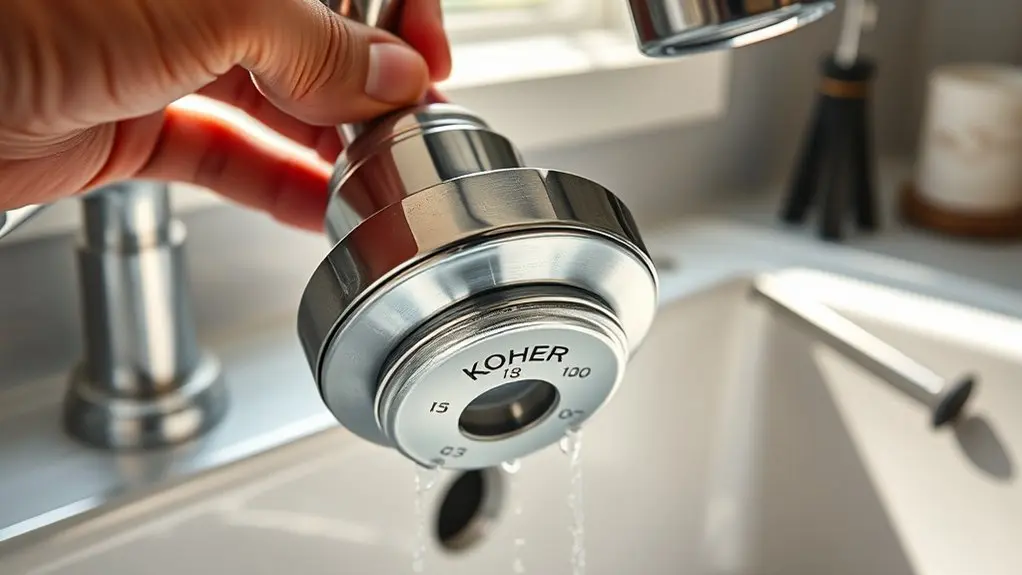
Where can you find your Kohler faucet model number for registration?
Start by inspecting the product’s packaging or installation manual, where the model number is usually printed.
If the faucet is installed, look underneath or at the back of the spout using a flashlight to locate a label or engraving displaying the model number.
For older faucets, consult KOHLER™ legacy product guides online to match your faucet’s style with the correct model number.
You can also visit kohler.com, browse the catalog, and enter product details to identify the model number.
Keep your receipt or proof of purchase handy, as it can help verify the model number when needed.
Accurately identifying your model number is essential for smooth product registration and warranty processing.
Sign In or Create Your Kohler Account
How do you get started with registering your Kohler faucet? First, visit kohler.com and sign in using your existing account credentials. If you don’t have an account, create one by providing your name, email address, and a secure password.
Establishing your account is essential for seamless product registration and warranty management. Once signed in, navigate directly to the product registration section to begin registering your faucet.
Creating your account ensures smooth product registration and easy warranty management for your Kohler faucet.
Verify all information entered during account creation and product registration is accurate to prevent complications with warranty claims. Accurate data entry streamlines your registration process and supports future service needs.
This step lays the foundation for completing your Kohler faucet registration efficiently and securely, so pay close attention to the details you provide.
Complete the Registration Form for Your Kohler Faucet

Prepare your Kohler faucet’s model number and purchase details before accessing the product registration form on kohler.com.
Once signed into your KOHLER™ Store account, proceed to the Product Registration section.
Enter the required information precisely: model number, purchase date, and your contact details.
Accuracy here is critical to confirm your warranty and support eligibility. The form is designed to capture all necessary data efficiently, so avoid skipping fields.
After completing the entry, review every detail carefully to prevent errors that could delay processing.
Follow any additional on-screen instructions to finalize the form correctly.
Completing this step thoroughly guarantees your Kohler faucet is officially registered, enabling you to access full warranty benefits and customer service through the KOHLER™ Store platform.
Verify and Submit Your Kohler Faucet Registration
Before you submit, take a moment to double-check all your registration details to make sure everything is accurate.
Also, confirm that you’re signed into your Kohler account.
Just follow the prompts carefully and don’t skip any steps during the verification process.
Once you’ve completed everything, finalize your submission to ensure your faucet registration is successfully recorded.
Double-Check Registration Details
Although it may seem straightforward, verifying every detail in your Kohler faucet registration is crucial to guarantee accurate warranty coverage and effective customer support.
Start by confirming the model number is entered correctly to prevent any warranty complications.
Next, carefully review your personal information, like your name, address, and email, to make sure it matches your account details. This helps enable seamless communication.
Use on-screen prompts to check that all required fields are completed without errors.
Double-check the warranty information to fully understand your faucet’s coverage and duration.
After submission, monitor confirmation emails closely; they validate your registration and provide important details on warranty terms and how to track your order.
This thorough verification step guarantees your Kohler faucet registration is precise and your warranty benefits are fully secured.
Confirm Account Sign-In
After verifying all registration details for your Kohler faucet, the next step is to confirm that you are signed into your account on kohler.com. If you don’t have an account, create one to proceed with the product registration.
Signing in grants you access to the registration form where you’ll input your faucet’s model number and other essential data. Accuracy in the registration form is critical to prevent warranty issues.
Once confirmed, submit the registration and follow any on-screen prompts to finalize.
| Step | Action |
|---|---|
| 1. Account Sign-In | Use existing credentials or create account |
| 2. Access Registration | Navigate to product registration section |
| 3. Enter Details | Fill in model number and required info |
| 4. Confirm & Submit | Verify accuracy, then submit registration |
Finalize Submission Process
You’ll want to verify that every detail, including your faucet’s model number and personal information, is correct before you submit your Kohler faucet registration.
Carefully review the registration form, ensuring all required fields are accurately completed.
Follow the on-screen prompts to avoid missing any essential steps in the product registration process. Once you submit, monitor your email for a confirmation message verifying successful registration.
If you experience any technical issues, consult the FAQs on kohler.com for targeted troubleshooting guidance.
After confirmation, review the warranty details to understand your coverage and benefits.
Furthermore, use the FAQ Track Your Order feature if you need to monitor your registration status or product delivery.
This completes your precise and authoritative finalization of Kohler faucet registration.
Troubleshoot Kohler Faucet Registration Issues
A common hurdle during Kohler faucet registration involves incorrect model numbers or login credentials. To resolve this, verify your faucet’s exact model number before beginning Product Registration. Confirm your login details and make sure you use the email linked to your Kohler account.
Carefully review all form inputs for accuracy to avoid submission errors. If you don’t receive a confirmation email, check your spam or junk folders for messages from Kohler.
For persistent issues, consult the FAQ section on kohler.com, which provides detailed guidance and troubleshooting tips.
In addition, you can use the Track Your Order feature or contact customer support directly for expert assistance. Following these steps will help you efficiently troubleshoot registration issues and complete the process without delays.
Manage Your Kohler Faucet Warranty After Registration
Once your Kohler faucet registration is complete, keep your confirmation details secure to streamline warranty claims and future inquiries.
Your warranty coverage varies by product, so review the specific terms linked to your faucet after registration.
To manage your warranty efficiently, log in to your account on kohler.com where you can access detailed warranty information and terms anytime.
Access your detailed warranty info anytime by logging into your account at kohler.com for easy management.
Retain documentation of your purchase date and original receipt, as these are essential for any warranty service requests.
Properly maintaining your registration and warranty records guarantees a smooth process should issues arise.
Contact Kohler Support and Access Customer Resources
If you need assistance with product registration or other inquiries, Kohler Support offers multiple contact options accessible through the customer service section on kohler.com. To Contact Us, simply navigate to this section for direct phone numbers and email addresses tailored to your needs.
Before reaching out, consult the extensive FAQ page, which provides immediate answers to common questions regarding registration, warranty, returns, and account management.
Through the Account Management feature, you can track orders, update personal details, and monitor your purchases efficiently.
Moreover, thoroughly review Kohler’s return policies online to guarantee compliance with their procedures. Utilizing these resources optimizes your experience and resolves issues promptly without unnecessary delays or miscommunication.
Frequently Asked Questions
Can I Transfer My Kohler Faucet Warranty to a New Owner?
No, you can’t transfer your Kohler faucet warranty to a new owner.
The warranty is strictly non-transferable and applies only to the original purchaser and installation location.
If you sell or gift the faucet, the new owner won’t be eligible for warranty coverage.
To maintain your warranty, make sure you register the product as the original owner.
For specific concerns or exceptions, contact Kohler customer service directly.
Are Kohler Faucet Parts Covered Under Warranty?
Parts of your Kohler faucet are indeed covered under warranty, provided they suffer from manufacturing malfunctions or material flaws. This protection includes individual components, ensuring replacements come at no charge.
However, the warranty won’t cover problems caused by improper installation, misuse, or damage beyond factory faults.
Always register your product promptly and consult Kohler’s detailed warranty terms to confirm coverage specifics for your particular faucet model and its parts.
How Long Is the Kohler Faucet Warranty Valid?
The Kohler faucet warranty is valid for a limited lifetime on residential use, covering defects in materials and workmanship.
For commercial applications, the warranty typically lasts between one to five years, depending on the model and usage.
You must register your product within 90 days of purchase to activate the warranty.
Keep in mind, it excludes damage from improper installation, misuse, or unauthorized repairs.
Always review Kohler’s official warranty terms for specifics.
Can I Register Multiple Kohler Faucets Under One Account?
Absolutely, you can register multiple Kohler faucets under one account. Each faucet requires its unique model number during registration to guarantee precise warranty coverage and product tracking.
Managing all faucets in a single KOHLER™ account streamlines access to warranty info, maintenance resources, and customer service.
You’ll complete registrations consecutively without logging in and out, making the process efficient and centralized.
Does Kohler Offer Extended Warranty Options for Faucets?
Yes, Kohler offers extended warranty options for select faucet models. You can purchase this additional coverage during product registration on their website.
The extended warranty typically covers defects in materials and workmanship beyond the standard warranty period.
Be sure to register your faucet within the specified timeframe and review the exact terms and duration for your model to guarantee you receive the full benefits of the extended warranty protection.
Conclusion
Registering your Kohler faucet is straightforward and worth the effort, even if you worry it might take too much time. By following the steps, locating your model number, creating an account, and completing the form, you secure warranty protection and access to essential support.
Don’t let concerns about complexity hold you back. This quick process guarantees your faucet’s performance and longevity are backed by Kohler’s trusted service and resources. Take action now for peace of mind.